
I have decided to convert my small Linux utilities to native builds using Rust and GTK+. Here is why I’m making the move.
Flutter is great for building multiplatform applications, and it works remarkably well on Linux. However, if you want your app to truly match a specific desktop environment, you have to rely on external plugins and custom controls. For example, to target GNOME, you might use the Yaru package developed by Canonical.
I followed this path to bring several of my utility apps to Linux. It all went well until a recent Flutter update introduced a particularly nasty bug. Now, if you install my app from the Snap Store and run it, all you see is a black screen.
After digging into the code, I discovered that the handy_window package is the culprit. Changes in the recent Flutter codebase created a compatibility issue between the plugin and the Snap packaging system.
Beyond the bugs, there is the issue of aesthetics. I tried to replicate the native popup menu style manually; even though I got close, it still wasn’t an exact match. It never quite felt “at home” on the desktop.
So, I’ve decided to start rewriting my apps natively using Rust and GTK+. This way, the applications will perfectly follow the GNOME human interface guidelines. As a bonus, I finally get to dive deep into learning Rust. It’s a total win-win situation!
My first application is Number 2 Text
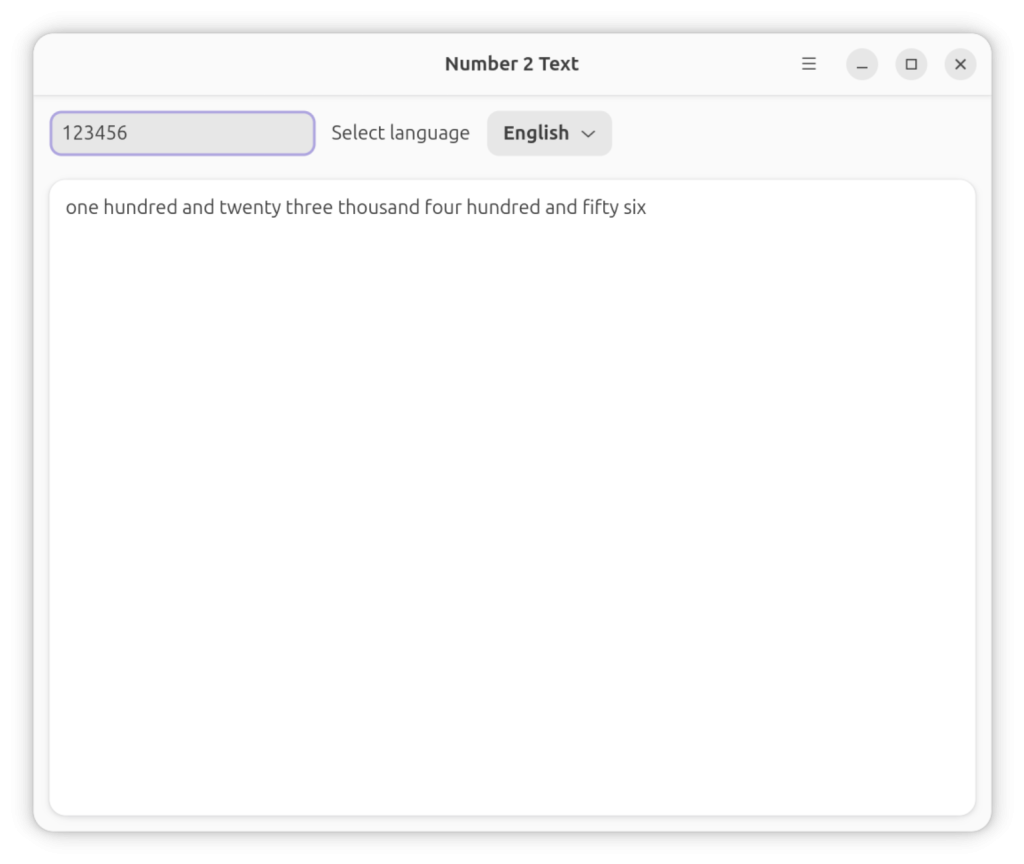
As you can see from the screenshot, it looks exactly how I wanted it to look in the GNOME desktop environment!
Repo is located on GitHub https://github.com/XRayAdams/number2text-rs